Key Takeaways
- End user device deployment services combine zero-touch provisioning, asset tagging, MDM enrollment and logistics to deliver secure, compliant hardware at enterprise scale.
- Zero-touch provisioning removes manual IT setup by automating enrollment and configuration through enrollment programs and MDM platforms on first power-on.
- Compliance requirements for 2026 deployments focus on TAA country-of-origin rules, CMMC levels and NIST SP 800-40 patch management.
- Selecting a full-lifecycle partner connects deployment to repair, recovery and refresh under one compliant program, which reduces IT workload and vendor fragmentation.
- Premier Logitech delivers these capabilities as a certified, single-source partner for organizations ready to launch or scale deployment programs.
Core Components of Enterprise Device Deployment
A structured deployment program covers every step from hardware sourcing through first-day readiness. These seven components form a sequential workflow that brings devices to workers secure and ready for immediate use.
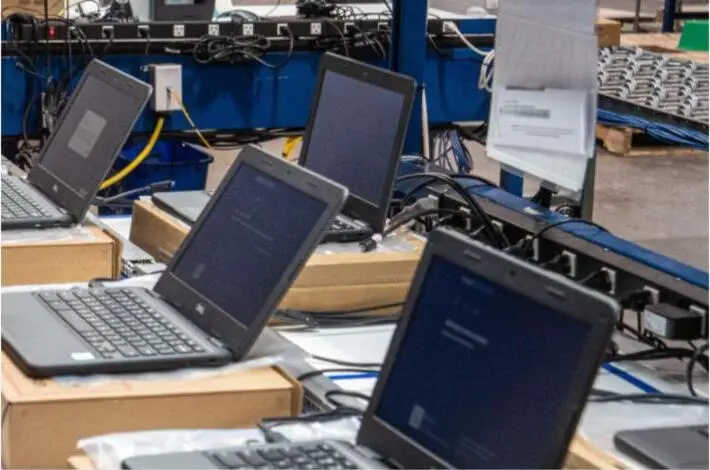
- Device imaging and BIOS configuration to enforce security baselines before shipment.
- Asset tagging and serialization for accurate inventory traceability.
- MDM enrollment and policy assignment tied to user role or deployment context.
- Security baseline enforcement including disk encryption, secure boot and endpoint protection.
- Kitting and custom packaging aligned to new-hire or project-specific requirements.
- Burn-in and functional testing to confirm hardware readiness before distribution.
- Direct-to-user or staged fulfillment based on workforce distribution.
For programs managing thousands of devices, scale introduces operational complexity that requires additional controls. Typical deliverables at this scale include SIM and IMEI pairing for mobile fleets, software installation and updates managed through centralized repositories, BOM-based kitting to keep configurations consistent, order processing and management systems that track devices across multiple sites, detailed custody records for audit trails and compliance reporting aligned to applicable frameworks.
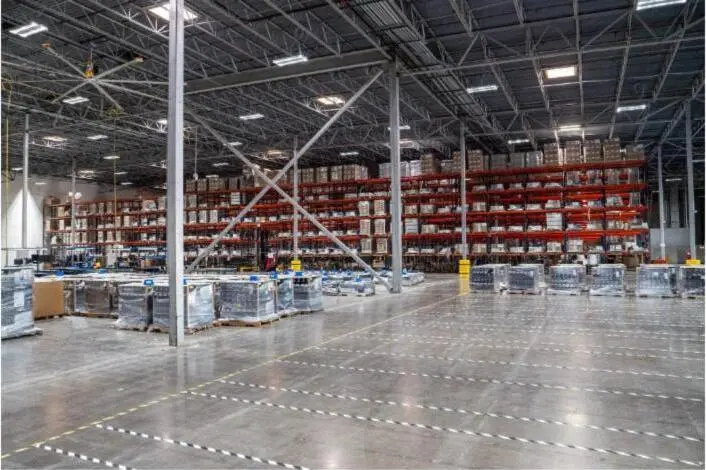
Structure a deployment program that scales with the device fleet.
Zero-Touch Provisioning Compared to Manual Deployment
Traditional deployment requires IT staff to handle each device for imaging, configuration and enrollment. Zero-touch provisioning removes that labor by connecting three components: a device enrollment program, an MDM platform and a configuration profile assigned before shipment.
The process follows a clear sequence. Organizations register devices with an enrollment program such as Google Zero-Touch Enrollment for Android, Apple Business Manager for iOS and Mac or Windows Autopilot for Windows through authorized resellers. The MDM is preconfigured with policies, apps and security settings. On first power-on and internet connection, the device enrolls and applies all settings automatically.
Genuine zero-touch provisioning requires exactly one human action, HR entering employee data into the HRIS, with all subsequent configuration occurring automatically. Many programs still rely on manual steps for app provisioning and permissions, so this distinction matters. SCIM and SSO alone do not achieve full automation because they cover only a fraction of apps and lack in-app permission configuration.
Prerequisites for genuine zero-touch provisioning include:
- Complete app visibility beyond SSO coverage.
- HRMS integration for reliable provisioning triggers.
- Policy-based provisioning using RBAC or ABAC rules.
- Multi-protocol automation through APIs.
- Automated verification that access is functional.
- Systematic exception handling with auto-generated tickets.
Organizations that move from manual methods to zero-touch provisioning report shorter deployment time per device and fewer configuration errors. Traditional deployment scales linearly with headcount. Manual provisioning at roughly three hours of IT time per hire turns 100 hires per month into two full-time IT roles, while zero-touch reduces the marginal IT cost per additional hire to near zero.
Security and Compliance Requirements for 2026 Deployments
U.S. government and enterprise clients face overlapping compliance obligations that must be addressed before devices ship. The primary frameworks governing end user device deployment in 2026 are the Trade Agreements Act, CMMC and NIST.
The 2026 compliance checklist for government and enterprise deployments includes seven requirements that must all be satisfied before devices ship. TAA and CMMC govern procurement and access control, while NIST and SOC 2 govern ongoing operational security.
- Confirm TAA country-of-origin compliance for all hardware on GSA Schedule or federal contracts. Devices manufactured in non-designated countries such as China, India or Vietnam do not qualify.
- Verify that GSA MAS contractors certify country of origin for each product before shipment and acceptance.
- Assess CMMC level requirements. Level 1 requires 15 FAR 52.204-21 safeguarding requirements, while Level 2 requires the 110 controls in NIST SP 800-171.
- Confirm CMMC flow-down obligations to any subcontractors that process, store or transmit FCI or CUI.
- Enforce NIST SP 800-40 patch management. Verification of the resulting security state forms part of software delivery, not a post-deployment afterthought.
- Maintain SOC 2 audit trails for provisioning and access revocation events.
- Document custody and secure data destruction procedures for device retirement.
Premier Logitech holds TAA, CMMC, NIST, SOC 2, ISO quality framework and TAPA certifications, operates under CAGE Code 4WAJ9 as a pre-vetted federal partner and carries authorizations across more than 20 OEM Authorized Service Centers. These credentials support compliant deployment programs for government agencies and large enterprises.
Logistics Models for Remote and Hybrid Workforces
Delivery model selection depends on workforce distribution, device volume and the level of on-site support available. The primary options are three delivery models, each suited to different workforce distributions and support requirements, and the decision framework below maps each model to specific deployment contexts.
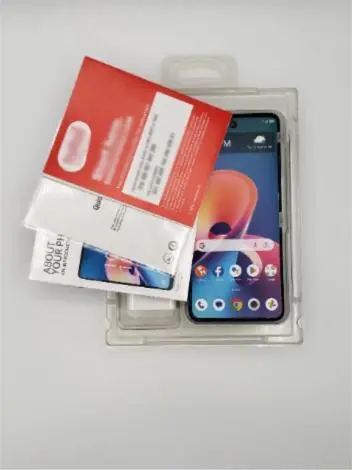
- Direct-to-user ship: devices configured and enrolled at the fulfillment center, then shipped directly to remote employees worldwide.
- Kitting and staged fulfillment: BOM-based kitting with custom packaging assembled before distribution to multiple locations.
- White-glove delivery: technician-assisted setup for executive deployments, specialized hardware or locations with limited IT support.
The decision framework for model selection follows three criteria based on workforce distribution and support requirements. Programs with a distributed remote workforce and zero-touch-ready MDM infrastructure are best served by direct-to-user ship because devices can be configured centrally and require no on-site IT intervention. Programs with multisite deployments that require consistent unboxing experiences or peripheral bundles benefit from kitting, which ensures every location receives identical configurations. Programs with high-security environments, complex hardware or users who require hands-on setup warrant white-glove delivery, trading speed for controlled and supervised installation.
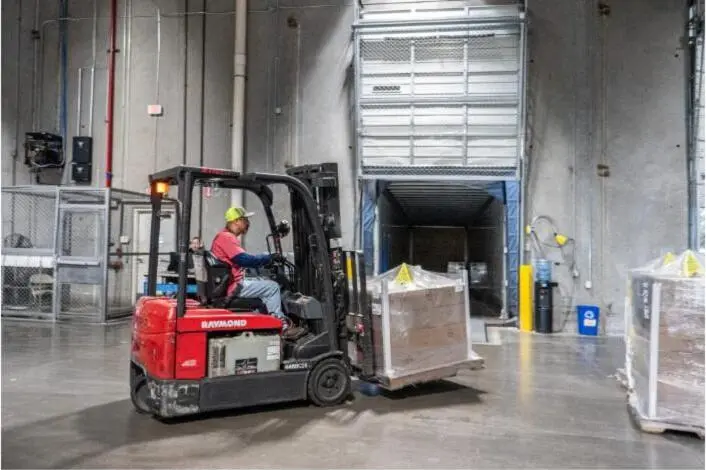
Premier Logitech operates three DFW facilities with nearshore operations in Mexico, supported by a network of more than 120 vetted North American LTL carriers, which enables flexible delivery across all three models at national scale.
MDM Enrollment and Ongoing Management Controls
MDM enrollment forms the control layer that connects physical device delivery to ongoing policy enforcement. The enrollment and handoff sequence for enterprise programs follows this pattern.
- Register device serial numbers with the appropriate enrollment program before shipment.
- Assign configuration profiles in the MDM platform tied to user role, department or deployment context.
- Confirm baseline controls, including encryption, secure boot, endpoint protection, screen lock and supported OS version, are encoded as versioned policy.
- Validate automatic enrollment on first power-on before devices leave the fulfillment center.
- Hand off device records to IT operations with full asset history, MDM check-in status and policy assignment documented.
- Establish patch management rings for staged OS and application updates after deployment.
Once enrollment and handoff are complete, ongoing management depends on continuous visibility into device state and policy compliance. Post-deployment visibility controls include real-time MDM check-in monitoring, patch compliance reporting, encryption state verification and remote lock or wipe capability for lost or compromised devices. Centralized governance enables joiner, mover and leaver processes to run automatically at scale while maintaining security boundaries and producing reliable audit trails.
Align MDM enrollment with specific compliance and operational requirements.
Common Deployment Risks and How to Address Them
Enterprise device deployments at scale carry six primary risk categories. Each category requires a defined mitigation before rollout begins.
- Unmanaged endpoints: a significant share of endpoints globally are unintentionally unmanaged, so programs should build a full device inventory before deployment and enforce MDM enrollment as a condition of network access.
- Configuration errors: manual imaging and setup introduce inconsistencies at scale, which can be mitigated through the zero-touch approach described earlier, using versioned and tested configuration profiles.
- Supply chain compliance gaps: non-TAA hardware on federal contracts creates False Claims Act exposure, so sourcing should rely exclusively on TAA-compliant channels with documented country of origin per device.
- Inadequate data destruction at retirement: improper disposal of devices containing sensitive data is a documented enterprise threat, which calls for certified data wiping, detailed custody records and certificates of destruction.
- BYOD and shadow IT exposure: personal devices introduce inconsistent encryption, unverified applications and compliance blind spots, so programs should apply containerization, managed work profiles and conditional access based on device posture.
- Fragmented vendor accountability: multiple vendors across deployment, repair and recovery create SLA conflicts and lifecycle gaps, which can be reduced by consolidating under a single partner with integrated program management across all stages.
These six risk categories apply to most enterprise deployments, but each organization’s threat profile varies by industry, workforce distribution and compliance obligations. Before rollout, organizations should conduct a threat and risk assessment that maps device types, user roles, network access requirements and applicable compliance frameworks to the controls above. Even when all mitigation strategies are implemented, a residual risk to the organization’s network and information assets remains, so ongoing posture evaluation and exception governance remain necessary throughout the device lifecycle.
Choosing a Deployment Partner with Lifecycle Depth
A deployment partner that stops at delivery leaves security, compliance and refresh gaps that create downstream costs. The evaluation checklist for a full-lifecycle partner covers seven areas.
- Compliance coverage: the certifications detailed in the compliance section above, with documented government program experience.
- OEM authorizations: Authorized Service Center status across the OEM brands in the device fleet.
- Zero-touch provisioning capability: verified enrollment program partnerships and MDM platform integrations.
- Logistics infrastructure: multimodal delivery options, national carrier network and kitting capacity at program volume.
- Repair and recovery integration: L1–L4 depot repair, rapid exchange and warranty support connected to the same program.
- Refresh planning: proactive refresh scheduling, asset recovery and certified ITAD with documented custody across each step.
- Operational visibility: real-time inventory tracking, lifecycle analytics and a single point of contact across all stages.
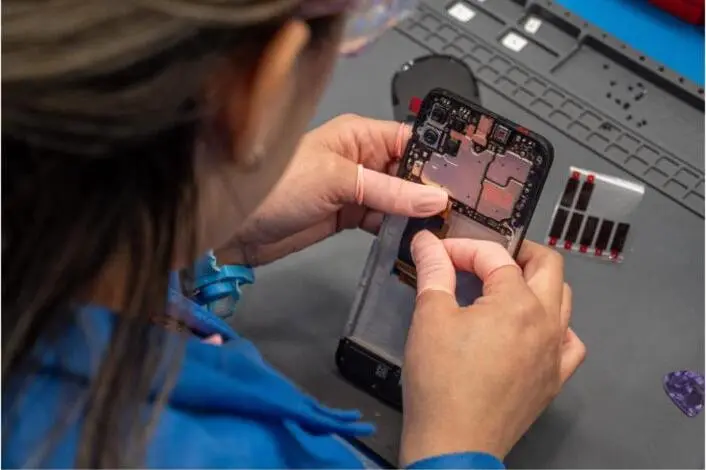
Premier Logitech connects deployment to repair, recovery and refresh under one compliant program, which removes the vendor fragmentation that creates SLA conflicts and lifecycle gaps. The company operates as a single-source lifecycle partner for organizations that seek integrated program management and as a modular services provider for those with existing vendors in some stages. This flexibility is supported by repair capacity, kitting capacity and ASC authorizations across more than 20 OEM brands, allowing clients to engage for end-to-end program management or select individual services such as configuration and fulfillment, depot repair, transportation or ITAD on a standalone basis.
Frequently Asked Questions
What is an example of an end-user device?
End-user devices are the hardware endpoints that workers use to access organizational systems and data. Common examples include laptops, desktop computers, tablets, smartphones and thin clients. In enterprise deployments, these devices are enrolled in an MDM platform, configured with security baselines and tracked as assets throughout their lifecycle from procurement through retirement.
What does an MDM agent do?
A mobile device management agent is software installed on a device that maintains a persistent connection to the organization’s MDM platform. The agent enforces configuration policies, reports device health and compliance status, manages application installation and updates, controls encryption and screen lock settings and enables remote actions such as lock, wipe or certificate revocation. In zero-touch deployments, the MDM agent is enrolled automatically on first power-on without user or IT intervention.
What is a device deployment?
Device deployment is the process of preparing, configuring and distributing hardware to end users so that devices arrive ready for work. At enterprise scale, deployment encompasses imaging, asset tagging, MDM enrollment, security baseline enforcement, kitting and logistics. A complete deployment program also defines the handoff process to ongoing management, repair and eventual refresh or retirement.
What do Windows deployment services include?
Windows deployment services cover the tools and processes used to provision Windows devices at scale. Windows Autopilot is the modern cloud-based approach, allowing devices to be registered by authorized resellers and automatically configured on first boot through Microsoft Intune or another MDM platform. Traditional Windows deployment services also include OS imaging, BIOS configuration, driver management and domain or Entra ID join. Enterprise programs typically combine Autopilot with compliance policies, Conditional Access and Microsoft Defender for Endpoint integration to enforce a layered security posture from day one.
What are the risks of deployment?
The primary risks in enterprise device deployment include configuration errors from manual processes, unmanaged endpoints that create security blind spots, supply chain compliance failures for government contracts, inadequate data destruction at device retirement, BYOD and shadow IT exposure in hybrid environments and fragmented vendor accountability across deployment, repair and recovery. Mitigation requires a zero-touch provisioning model with versioned policies, TAA-compliant sourcing, certified ITAD with documented custody, MDM enforcement as a condition of network access and a single partner with integrated lifecycle accountability.
What does end-user device mean?
An end-user device is any hardware asset assigned to an individual worker or shared user group for accessing organizational applications, data and communications. The term distinguishes these assets from infrastructure hardware such as servers and network equipment. In IT lifecycle management, end-user devices are tracked from procurement through deployment, maintenance, refresh and disposition, with each stage carrying distinct compliance, security and operational requirements.
Conclusion and Next Step
End user device deployment services that stop at delivery create security, compliance and lifecycle gaps that compound over time. A program that connects zero-touch provisioning, TAA-compliant sourcing, MDM enrollment and logistics to repair, recovery and refresh under one partner delivers the workload and vendor consolidation benefits outlined in the key takeaways while maintaining consistent policy enforcement across thousands of endpoints.
Premier Logitech has delivered end-to-end technology lifecycle services since 2007, serving large enterprises, OEMs and government agencies with the certifications, OEM authorizations and operational infrastructure required for compliant, scalable deployments nationwide.
Build a deployment program that covers every stage from provisioning to refresh.
